Fourstalgia vs NYPL Time Traveller

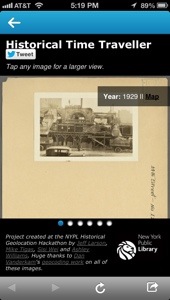
A few weeks ago the New York Public Library launched NYPL Time Traveller, an app that connects to your Foursquare account and surfaces historical pictures when you check in near historical places around New York City. When you check in, Foursquare alerts you that there are historical pictures nearby and you can click through to check them out. I love anything that supercharges the Foursquare experience and hooked it up immediately.
20130723-091324.jpg
Check out history when you check in

The photos come from the library’s Photographic Views of New York City collection. The archive is more than 54,000 photos deep ranging from the 1870s through the 1970s with the bulk coming from the 1910-1940 period. The app was created as part of the NYPL Historical Geolocation Hackathon.

20130723-091433.jpg
Step back 96 years in time

Another historical photos app that covers the same territory is Fourstalgia which launched about a year ago. The app was created by Jon Hoffman, a coder at Foursquare, and draws upon the archives of SepiaTown. I raved about it here last summer.

20130723-092830.jpg
Places that are gone

Having two powerful apps that make my check ins more interesting and informative only makes Foursquare a more valuable tool when I am out and about. History is a big draw for me and I love the ability to dig beneath the surface and add context to my daily travels.

However, I want MORE from Fourstalgia and Time Traveller. Give me information about the buildings, structures and places from the past. Photos are the primary attraction, but additional context, depth and knowledge are key to fuller engagement with both apps. One huge plus with Fourstalgia is the photos are big and well-captioned. The Time Traveller does date the photos, however they are small and dark. You can tap to enlarge, but they don’t get that much bigger. It is such a shame to have a rich archive only to shortchange the user with tiny photos. Another advantage with Fourstalgia is their photo library is global while Time Traveller is NYC-only. Both apps allow social sharing to Twitter.

20130723-091348.jpg
Please make the pictures bigger
20130723-092849.jpg
Big, bold pictures

In the end both are great add-ons to Foursquare and provide a richer way to explore the city. Give them both a test drive and let me know what you think.

PSFK Goes Home to the Future

It seems oddly fitting that I am writing about the home of tomorrow from a home of the past. Roughly 50 miles from PSFK’s Future of Home Living Experience, I am spending a few nights in a tent pondering the home of the future as well as the massive transformations that have shaped the home of the present. The 100 degree temperature, soupy humidity and bloodthirsty mosquitoes have me yearning (possibly begging) for the basics we take for granted – windows, indoor plumbing, air conditioning and electricity.

20130721-233510.jpg

PSFK has taken on the challenge of defining the trends in furniture, gadgets, electronics, apps and design that will shape and define The Future of Home Living. In an airy 5,000 square foot space at the corner of Sixth Avenue and 15th Street in New York, PSFK has created an interactive exhibit showcasing dozens of remarkable products and experiences.

I had an opportunity to attend a preview walk though in the space. While they were still putting the final touches on the exhibit (which opens on Monday 7/23 and runs through Friday 8/16), the space is bright, open and inviting. It is loosely divided into areas dedicated to each part of an apartment or house. Living room, kitchen, bathroom, bedroom and more, showcasing the interconnected, environmentally friendly, super-convenient house of the future. PSFK’s founder Piers Fawkes and Director of Consulting Scott Lachut gave an energetic in-depth tour and thoughtfully answered questions about the gleaming products on display.

The three broad themes running throughout the exhibit are Adaptive, On-Demand and Equilibrium.

20130722-002653.jpg
The Thin Bike solves bike storage for the apartment dweller

Adaptive focuses on customizable solutions for multiple uses in small spaces. The Thin Bike, Peg Furniture System and ZIG Sofa are three examples of products that can work in tighter living spaces providing maximum flexibility.

20130722-002955.jpg
WunWun crowdsources personal tasks and odd jobs

On-Demand centers on the networked home and the ability to outsource chores and errands. GetUpArt Service, WunWun and Hello Fresh Delivery are ultra-convenient services that maximize leisure time.

20130722-002743.jpg
Aquafarm brings fish and fresh herbs to your countertop

Equilibrium is all about balance in a chaotic world. The Dezibel Floor Screen, Aquafarm and HAPIfork are all products that help us lead a quieter, more environmentally-friendly and healthier life.

20130722-002534.jpg
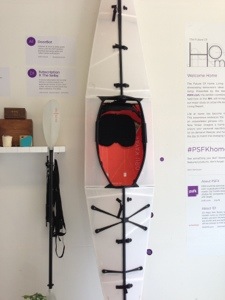
Oru Kayak folds up for the urban kayaker

From the hydroponic plant system in the window to the folding kayak and wireless/3D everything, the exhibit only disappoints in its focus on gadgets rather than the big-picture thinking for which PSFK is known. Their report on The Future of Work was revelatory. It showed how we will communicate, collaborate and innovate in the future. PSFK provided not only a blueprint for the the workspace of the future, but a clear road map for how we will get there.

I wanted the same depth and immersive thought applied to the hows and whys of home living in the future. What will be the transformative technologies and forces that redefine our living spaces? However, the Future of Home Living Experience is still a fascinating look at some incredible technology and services that will make our lives better, healthier and more balanced.

If you are interested you can sign up for the exhibit here. And please, let me know what you think.

Delete, Delete, Delete

Recently I passed on an iPhone 4 to my son. He’s 10 years old and he was absolutely dying for a phone. Like all my gadgets it was crammed with apps, pictures, music, videos and more.

Almost immediately he was out of memory. He wanted to have more space and i said you need to delete some apps. Watching him was a beautiful thing.

He went through his deck like a madman. Boring. Delete. Don’t want it. Delete. Why do I have this? Delete. I hate this game. Delete. Outgrown. Delete. Delete. Delete Delete.

20130703-234153.jpg

It was amazing. In just a few minutes he had effortlessly and ruthlessly deleted 2GB of apps. No sentiment. No wavering. Just business.

I painstakingly debate whether to trash apps and anything else that is overloading my phone. With hundreds of games, services, social networks and utilities all mostly losing the battle for my attention, why is it so easy to add more stuff and so hard to lose it?

)Yes, I downloaded an app while writing this, but I deleted one as well, so that’s something.)

It’s just stuff, but the emotional and intellectual attachment is strong. Do I need more memory or just the execution-style app killing skills of my son? Maybe I can implement his process to clean up my iPhone, my iPad and maybe a few junk drawers as well.

In these days of app, email, text, music, video and information overload and the push to unplug and unclutter we can learn a powerful lesson from a 10 year old.

Delete. Delete. Delete.

One Week with CitiBike

I wanted to resist when I saw the bike stations pop up overnight. I wanted to fight back when I saw the rows of gleaming, new bikes. However, once I saw those first few riders navigating the streets of Manhattan, I succumbed and signed up for an annual CitiBike pass.

For three weeks I waited, enviously watching riders zip about town while i walked the sidewalk with the regular prisoners. Finally my CitiBike key arrived in the mail last weekend.

Now, it was time to ride.

20130630-185735.jpg
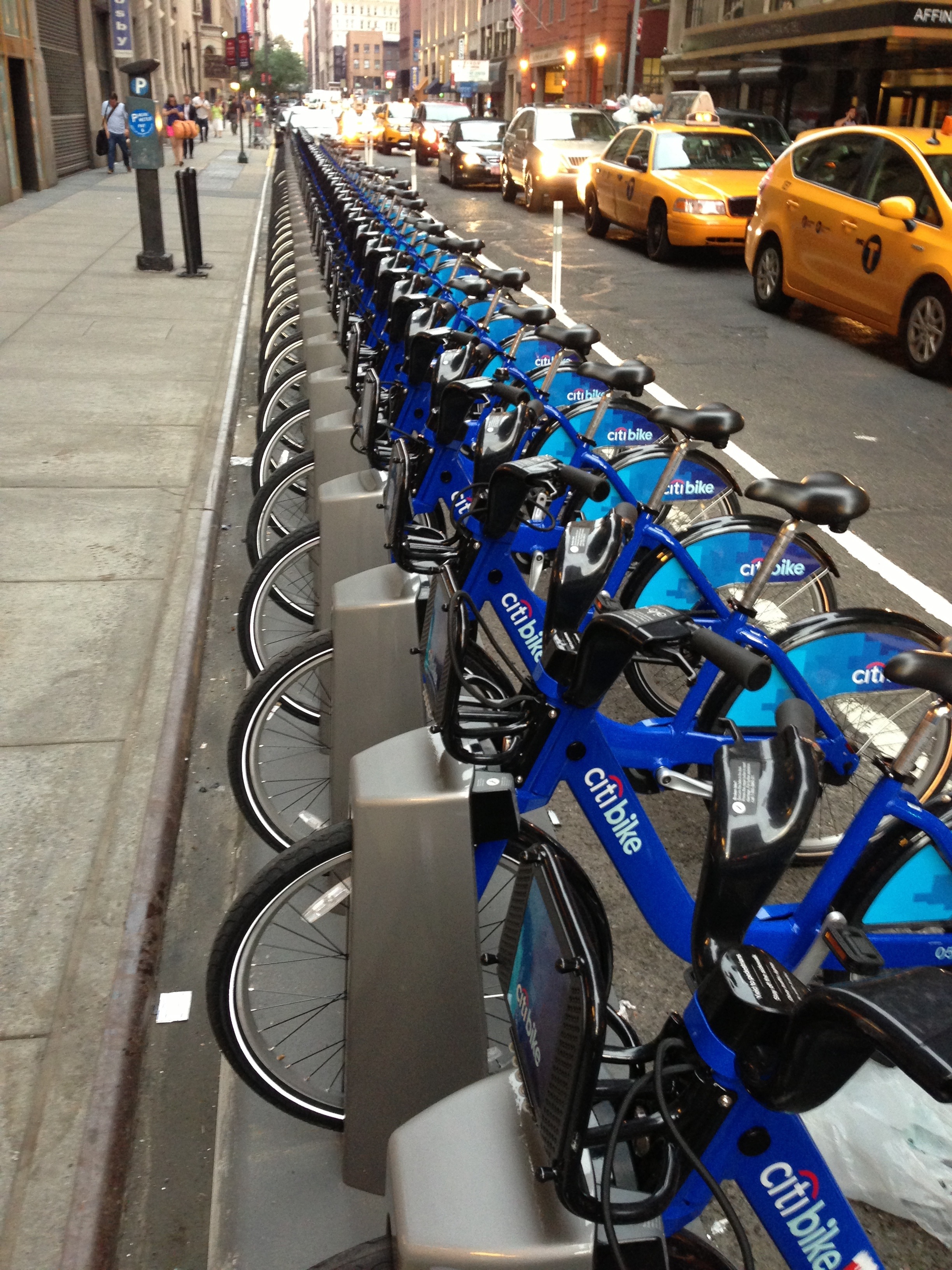
Just one of 6,000 bikes

My first excursion wasn’t without problems, all of them traceable to my refusal to read the introductory packet. Stupid fine print. Three stations and a fair amount of head scratching later I finally sorted out how to unlock a bike and I was on my way.

I rode from 7th Avenue and 15th Street up to 7th and 31st. I must admit, it was glorious! The bike lane up 8th Ave was comfortably busy with fellow CitiBikers and plenty of other cyclists. The breeze and ease of my commute mitigated the heat and humidity. I pulled into my destination station just steps away from work, locked it up and headed inside.

I’ve taken ten rides so far. Seven of them would have been cab or subway rides. Three were walkable, but biking it was so much fun and much faster. At $2.50 a subway ride the annual pass should pay for itself quickly.

20130630-190314.jpg
The CitiBike app is a must-have

Availability around the busier transportation hubs can be tricky so prepare to know where all the nearby stations are located. The CitiBike app is a great help showing realtime availability as well as best routes for getting around the city.

The bikes are solid, heavy and slow which is perfect for pounding the potholes of New York City’s streets. The brakes are good and the ride is comfortable. With only three gears and 40 pounds of bike, there won’t be any land speed records broken, but that seems to be by design. They are built for durability, not speed.

20130630-185929.jpg
Take your pick. Plenty of bikes on 31st Street

After one week I am hooked. Let’s hope the city supports and builds out the program across all five boroughs. While there are plenty of detractors, this is a service that could positively impact the city in so many ways.

Get out there and ride. Then let me know what you think. Happy riding!

Swallowing the Ocean – The Case for Information Overload

One of my favorite books as a kid was The Five Chinese Brothers. I loved the story of five identical siblings who escaped a wrongful conviction and death sentence through smarts and special skills. However, my favorite part and the bit forever burned in my memory was the first brother who could swallow the sea. The thought of uncovering hidden treasure, pirate skeletons, shipwrecks, exotic fish and the unknown, unseen bottom of the sea was irresistible to a curious kid.

Today I am just as curious if not more. I want new information, hidden knowledge, the practical and the ephemeral. Every day I want to swallow not just the sea, but the ocean. Scouring websites, twitter, email newsletters, rss feeds and countless other sources, I strip mine for the remarkable, the random and the wonderful. Deploying apps and search engines, I connect the infinite dot-to-dot of our world. My desktop, iPhone and iPad are gateways to the curated and serendipitous discovery of knowledge, both useful and useless.

Ten Steps to a Successful Brand Portfolio Strategy. Read it. Peter Saville’s inspiration for the cover art on Joy Division’s Unknown Pleasures. Watched it. A new book about the Mars Attacks trading cards. Ordered it.

My meme driven life can be a daunting task. There is so much ocean and I can only devour so much. When I finally end my day and reluctanly put my phone on the bedside table for the last time, I recount what I learned and try to synthesize and make connections. Like the first brother I must release the ocean and start again the next day.

Last week I heard a terrific Creative Mornings lecture from designer Simon Collison who advised us all to clear away the distractions. Ignore the endless twitter stream, avoid email, turn off your devices and focus on the task at hand. Be productive. Design. Build. Make. If the information is important enough, it will find you.

I agree that we need to step away from distraction to focus and finish the job, but there is too much to learn, see and experience. Too many great ideas. Too much remarkable brilliance to fit into such a short day. I am on information overload and it’s a good thing. The hunting and gathering energizes and drives me forward. It’s what I do. Excuse me, but the tide is rising and I’ve got an ocean to swallow.

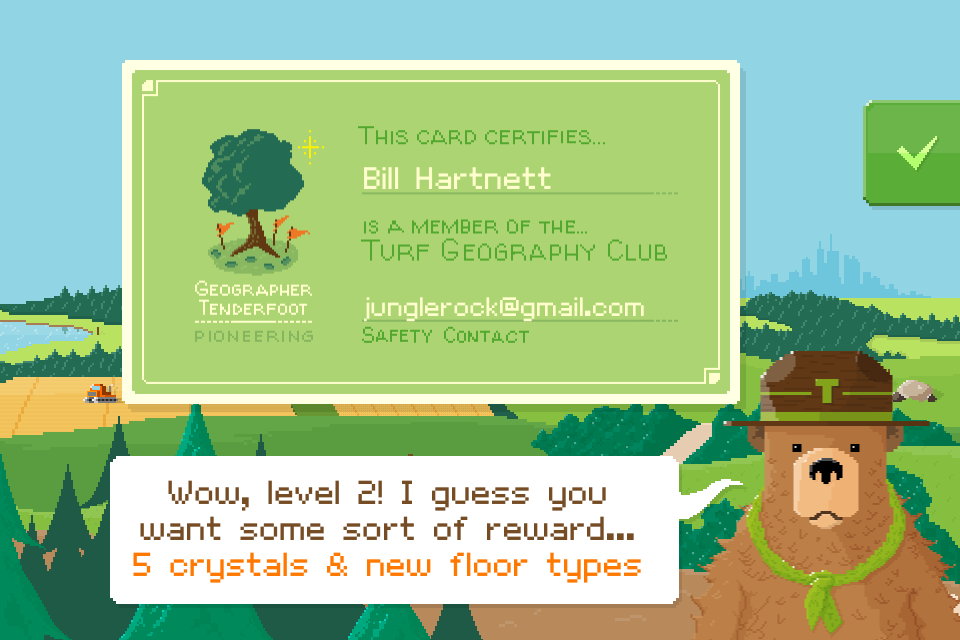
Turf – For the Foursquare Obsessive who has Everything

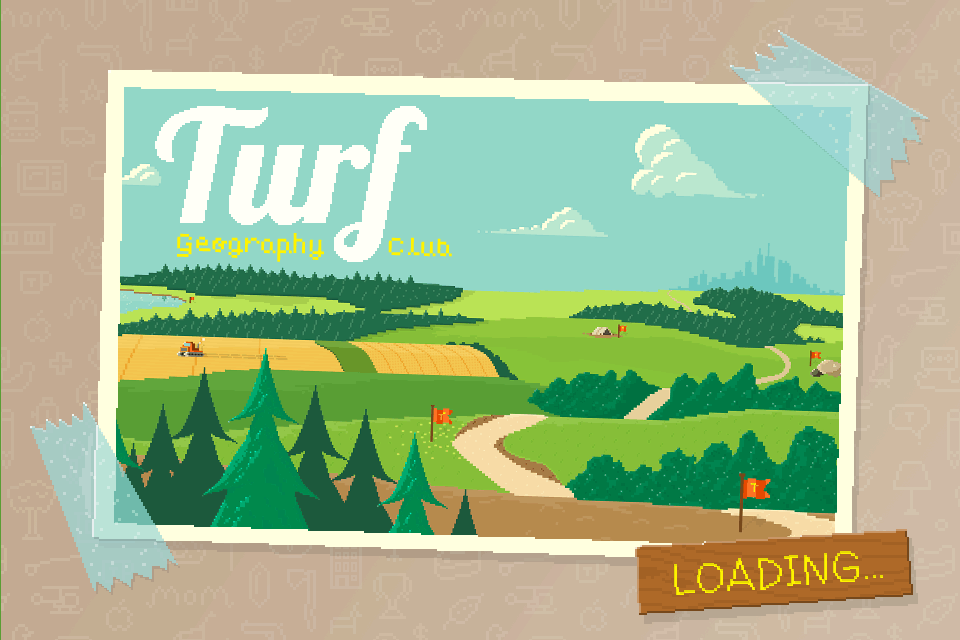
Turf start page

Some might say I am a little bit obsessive with Foursquare … and that might be true. Yes, I have checked in everywhere and anywhere for the past 2 1/2 years. Yes, I spent an entire weekend in 2010 on a quest for badges (extensive blog post coming someday). Right away I loved the game mechanics and the perfect combination of curation, discovery and random serendipity of the location based app. I want each update to give me better tools to find the best dish on the menu, locate the coffee shop with free wifi and help me discover the secrets of every new neighborhood.

I love checking out new Foursquare apps and hacks that add to that experience. A favorite new one that I’ve discovered is called Turf (or fully Turf Geography Club). It started as a Kickstarter project and now you can find the app in the Apple App Store (coming to Android soon). I first read about it on Mashable earlier this month where Turf founder Michael Tseng called it “real-world Monopoly.”

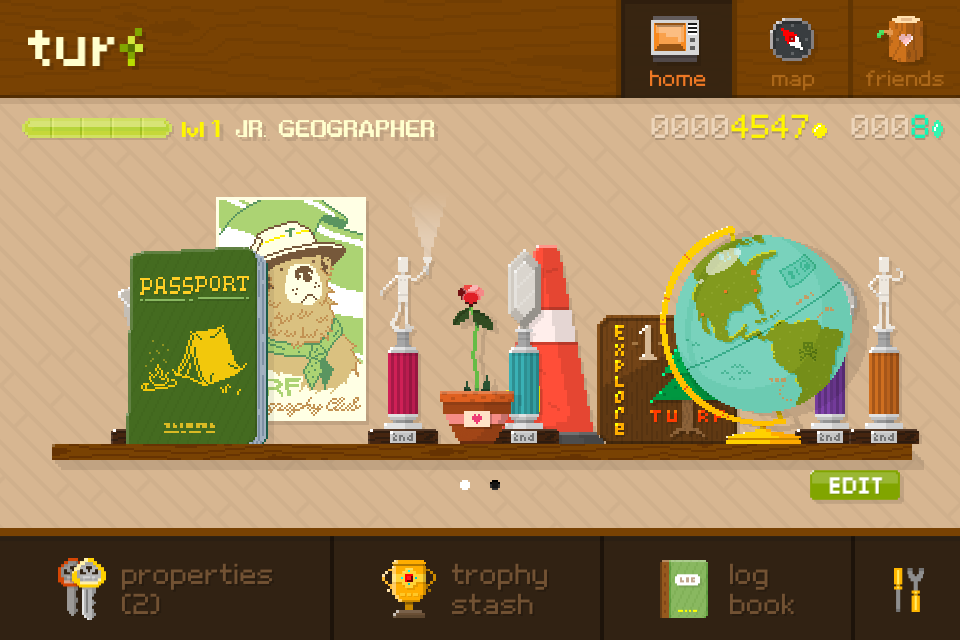
Basically you earn coins and crystals for checking in and spend your loot on acquiring locations. Once you own a property you not only collect rent, but must maintain the properties and can develop them to add to their value. Watch out, other stealthy players will try and spin the wheel to nab your prized properties. Of course, you win trophies as you gain experience and add to your virtual real estate portfolio. Also, it seems like the game offers plenty of opportunity for the developers to add to the experience and make Turf even better.

Initially the user interface and learning curve offer a bit of a challenge, but a little gameplay and trial-and-error will have you navigating the app like a pro. Right now they aren’t that many people playing and since Twitter has been blocking apps from helping you discover your friends, it’s hard to find your people. However, I know a couple of fellow obsessives who are playing so it has been very fun so far. While I love Foursquare apps that are baked into the core app, Turf is a standalone app, but it’s worth your time to open it up and play real estate mogul. And the retro Ranger Rick/Smokey the Bear graphics are pretty cool indeed.

So I am calling on all Foursquare obsessives to check out Turf. Download the app and start buying up your neighborhood. I would love to see you there!

In Praise of Fourstalgia

One of my favorite new additions to Foursquare is Fourstalgia. It’s a very cool hack project built by Jon Hoffman @hoffrocket, an engineer at Foursquare.

When you connect the app your check-ins surface local historical photos through SepiaTown, a crowd sourced database of historical photos.

What’s awesome about Fourstalgia is both how simple and immediately rewarding it is. You get additive content that is completely relevant and it is built right into your Foursquare experience. If you want to share the photos you can tweet right from the app.

The only thing on my wishlist is additional historical information that tells me more about the pictures. You get a short description, but I need to know everything about the Quartette Club Hall in Hoboken right now.

Try it out and let me know what you think.

20120810-213047.jpg

Your Technology is No Good Here

A couple of weeks ago I spent a week in western Massachusetts in a house way up in the hills. I love this particular corner of the world for several reasons. Hiking. Road riding. Mountain biking. Rafting. Kayaking. Swimming. Whoopie pies. Most of all, I love the quiet. The loudest noise in the daytime is tractors and the loudest at night is the owls.

There is no cell service here. Nothing. No wireless. Zero bars. My trusty iPhone is basically useless beyond Cut the Rope and Doodle Jump. Just a brick that tells time.

At first this is disconcerting. I reflexively look to see what’s happening in my digital world and it’s The Twilight Zone. No Facebook. No Twitter. No emails. No texts. No phone calls. It no longer exists.

Once the shock wears off, I start to enjoy the freedom. I read books. I hang out with my kids and build forts. We all sit down to dinner and talk about frogs and butterflies. It’s amazing how quickly I don’t care about new followers on Instagram or checking in on Foursquare. The biggest gift is the ability to focus and think. It is something so precious that we often neglect in our quest to vanquish our to-do lists.

Once I was back on the grid it was a scramble to catch up and plug back in, but the lesson I learned is the beauty of disconnecting, even if just for a moment.

At the recent #140 Conference in New York City, many of the speakers said the same thing. Put down the technology. Go outside. Make friends. Build something. Do stuff. Love someone. It will all be here when you get back. And they are right.

How do you disconnect and find time in your day to think? I would love to hear your thoughts.

Content on Shuffle

I want to explore how we discover and experience content. The intersection of search, curation and sharing under the umbrella of discovery is fascinating and constantly changing. How does it impact how we interpret the world around us and how we learn? And how does the digital world affect how we socialize and share our experiences with others?

Growing up I listened to records, watched live television, listened to live radio, read a morning or afternoon paper, watched movies in a theater and read the magazines available at the local drug or bookstore. Content was relatively scarce and distribution highly controlled. I quickly gravitated to books and music because I could control and curate my own experience.

Sharing content was difficult, but we all shared the experience, gathered around the TV at the same time. We all watched the same movies and shows and heard much of the same music. Curation was often top down. Rigid TV schedules. Highly formatted radio stations. Mass media was exactly that. Content created and curated for mass audiences.

In the 80s and 90s things began to change with the broad proliferation of cable channels, the Sony Walkman and the adoption of VCRs and DVD players among other things. Choice multiplied and so did the number of devices in any household. The common familial, social experience of media was giving way to individual experience. Not only was there more content, we could share it more easily, copying and trading music, movies and TV shows.

Today content is ubiquitous. Distribution is ubiquitous and often confusing. Our individual media experiences are unique and generally self-curated. With millions of websites, thousands of digitized songs, hundreds of DVDs, our phones, ipods and ipads filled with apps, games, music, books, movies and TV shows, plus hours of programming recorded from hundreds of channels on DVRs, how do we provide context? How do we discover and curate great media experiences?

It’s now a world of content on shuffle. So many amazing media experiences are immediately available on a multitude of platforms. We have amazing tools to share and recommend to our friends, families and social media acquaintances. How has this all redefined sharing? How has it redefined us? I look forward to hearing your thoughts.